
AliExpress
Screenshots

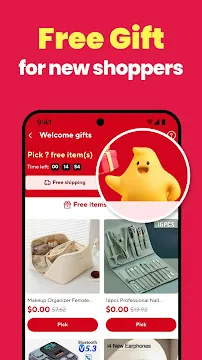
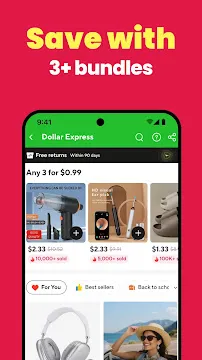
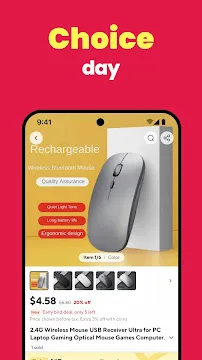
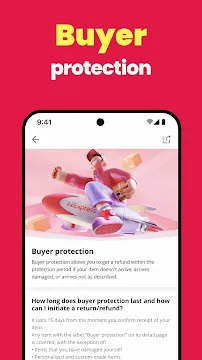

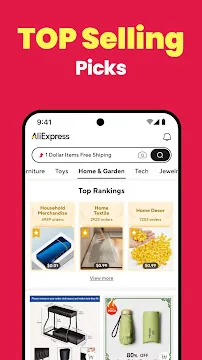
The AliExpress app is your essential mobile connection to a massive global marketplace. This platform connects you directly with sellers around the world. Therefore, you find millions of products at low factory prices. You can browse everything from electronics to fashion. The app makes shopping easy and fun on your Android device. You access great deals right from your phone.
We know you want value and variety. Consequently, the AliExpress app delivers both. Alibaba Group, a trusted global leader, backs the platform. This means you shop with confidence and security. The Android app provides a seamless and user-friendly experience. You find exactly what you need quickly. This is your chance to explore unique items you cannot find locally.
Why the AliExpress App Beats the Website
Shopping on AliExpress is fun. But using the website on your phone can be slow. The AliExpress Android app changes everything. It turns your phone into a powerful shopping tool.
Let’s explore the key benefits of the app.
Grab App-Only Deals & Coupons
First, the app gives you exclusive access to savings. You find discounts and coupons that website users cannot see.
- Welcome Coupons: New app users often get special welcome offers.
- Flash Sales: Get early access to limited-time sales events.
- Daily Check-In Rewards: Open the app each day to collect coins and coupons.
Therefore, you save more money right from the start.
Enjoy a Faster & Smoother Experience
The app is designed for mobile. It is optimized for your Android device.
- Quick Loading: Pages and product images load almost instantly.
- Easy Navigation: Find what you need with a simple, thumb-friendly menu.
- Fewer Crashes: The app provides a stable experience without browser freezes.
Consequently, you enjoy a hassle-free shopping journey from browsing to buying.
Get Instant Alerts with Push Notifications
Never miss a great price again. The app sends push notifications directly to your phone.
For example, you can get alerts for:
- Price Drops on items you’ve watched.
- The Start of major sales like Black Friday.
- New Deals from your favorite stores.
As a result, you are always the first to know about the best offers.
Find Anything with Easy Image Search
See something you like? Now you can find it in seconds. The app’s image search feature is a game-changer.
Simply:
- Tap the camera icon in the search bar.
- Take a new photo or upload one from your gallery.
- The app finds similar products for you instantly.
This means you can shop for items you see in real life without knowing their name.
Check Out in a Few Simple Taps
The app makes paying for your order quick and secure.
- Saved Details: Your address and payment information are stored safely.
- One-Tap Purchasing: Check out with just a few clicks.
- Mobile Payment Options: Pay easily with linked credit/debit cards or other mobile payment methods.
Therefore, you complete your purchase faster and with less effort.
Get the AliExpress App: Your Easy Android Guide
You want the AliExpress app on your Android phone. It is a smart move. The app gives you access to millions of products. You find great deals and coupons easily. We show you exactly how to download and install the AliExpress APK.
Step 1: Adjust Your Security Settings
Your Android phone blocks installations from unknown sources by default. You must change this setting temporarily.
- Open the Settings app on your phone.
- Scroll down to find Security or Privacy. The exact name varies by phone brand.
- Look for “Install unknown apps” or “Unknown sources.”
- Tap on it.
- Find the app you will use for the download. This is usually your browser (like Chrome or Firefox).
- Toggle on the permission for that specific app. You now allow your browser to install the AliExpress APK.
Step 2: Download the AliExpress APK File
Now, you get the actual file.
- Open your web browser.
- Visit Filetomob.com.
- Search for “AliExpress APK download.”
- Choose AliExpress App Page.
- Tap the Download button.
- Accept the security prompt. Your phone warns you about the file type.
- The file now downloads to your device. You can see the progress in your notifications.
Step 3: Install the Application
You have the file. Now, install it on your Android.
- Open your phone’s File Manager app. You often find it in the app drawer.
- Go to the Downloads folder. This is the default location for downloaded files.
- Locate the AliExpress APK file. It has a name like aliexpress.apk.
- Tap on the file name.
- A prompt for installation will appear. Click Install.
- The installation process begins. It takes only a moment.
- When finished, you see an “App installed” message.
Step 4: Open and Shop
Installation is complete! You can start shopping immediately.
- Tap the Open button in the installation screen. Alternatively, find the new AliExpress icon on your home screen or in the app drawer.
- Launch the app.
- Sign in to your existing account. If you are new, create a fresh account.
- Start exploring the marketplace. Find great deals and low prices.
Step 5: Final Security Check
You should always return your settings to their original secure state.
- Go back to your Settings app.
- Return to Security or Privacy.
- Locate the “Install unknown apps” section again.
- Toggle off the permission for your browser. This prevents accidental installations later.
You successfully downloaded and installed the AliExpress APK. Enjoy shopping!
Starting with the AliExpress Android App: Your First Steps
You installed the AliExpress APK on your Android phone. Great job! Now you are ready to start shopping. This guide shows you your first important steps.
Step 1: Open the App and Sign In
- First, find the AliExpress app icon. It looks like a shopping bag with the letters “AE.”
- Tap the icon to open the app.
- You need an account to shop. Therefore, look for the “Account” or “Sign In” button. This is usually on the bottom menu bar.
- Sign in using your email, Facebook, or Google account.
- If you are a new user, create an account. It is quick and easy.
Step 2: Set Up Your Location and Currency
The app needs to know your location. This helps show correct prices and shipping options.
- Go to the “Settings” menu. You can often find this under the “Account” section.
- Look for options like “Ship to” or “Country/Region.”
- Select your country from the list.
- Next, check your currency setting.
- Choose the currency you want to see. For example, select USD or EUR.
- Remember to save your changes.
Step 3: Explore the Home Screen
The home screen is the app’s main page. Thus, you will find many things there.
- See the search bar at the top. Use this bar to find specific products.
- Scroll down to view “Flash Deals” or “Super Deals.” These offer limited-time discounts.
- Check out the category icons. Tap an icon to browse different product groups.
Step 4: Search for Your First Item
You want to buy something specific. So, use the search function.
- Tap the search bar.
- Type a clear description. For instance, try “blue wireless headphones.”
- Press the search button (magnifying glass icon).
- A list of results appears. Now, you can browse the options.
Step 5: Filter Your Search Results
Too many results confuse you. However, you can filter them. Filtering helps you find the best item faster.
Use these important filters:
- Price: Set a minimum and maximum price range.
- Free Shipping: Select this to avoid shipping costs.
- 4 Stars & Up: Choose this to see high-rated items.
- Orders: Sort the results by the number of orders. This shows popular items.
Step 6: Check Product Pages Carefully
You found an item you like. Before buying, look at the product page.
- Read the product description. Verify the size, color, and material.
- Look at the customer reviews. These are very important.
- Check the seller’s rating. High ratings mean a trusted seller.
- Review the shipping details. See the estimated delivery time and shipping cost.
Step 7: Add to Cart or Buy Now
You made your final decision. You have two main options.
- To buy immediately: Tap the “Buy Now” button.
- To save it for later: Tap the “Add to Cart” button. You can check out later.
Congratulations! You successfully navigated the AliExpress app’s first steps. Next, you will enter your shipping address to complete your first order.
AliExpress Shopping Smart: Insider Tips for Buyers
You want great deals on AliExpress. You also want reliable products. Smart shopping takes a few easy steps. We will show you how to buy with confidence.
Vetting the Seller and Product
Trust is key on AliExpress. You must check the seller before you click “Buy.” A little research saves you time and money later.
The Trust Score
- Analyze Seller Ratings: Look closely at the seller’s total rating. Many stars are good.
- Check Positive Feedback Percentage: This number is very important. Aim for 97% or higher positive feedback. This means most buyers are happy.
- Find the Seller Rank: AliExpress gives ranks like Bronze, Silver, Gold, and Diamond. Diamond sellers have proven reliability. Look for these top ranks.
Reading Reviews
Seller ratings are helpful, but reviews tell the full story.
- Look for Buyer Reviews with Photos: Always check these. Photos verify the product’s quality. They show if the item matches the description.
- Read the Comments: Pay attention to common complaints. Check for issues like size, color, or shipping problems.
Age of Store
Next, you check the store’s history.
- See How Long the Seller Has Been Active: A longer track record often means more reliability. New stores may offer good deals, but older stores have established trust.
Maximizing Savings
Everyone loves a bargain. Fortunately, AliExpress offers many ways to save. You just need to know where to look.
Coupons and Promos
Start by searching for discounts.
- Use New User Discounts: Are you new? Then, claim your special new user discount immediately.
- Collect Store-Specific Coupons: Many sellers offer their own coupons. You can often find these on the store’s main page.
- Apply Promotional Codes: Look for site-wide promo codes during big sales events.
The “Games” Feature
Also, consider the fun options.
- Play In-App Games: AliExpress sometimes features small games. These games reward you with points or coupons. Use these rewards to lower your price.
Price Drop Alerts
Finally, track your favorite items.
- Utilize Your Wish List: Add items you like to your wish list.
- Track Price Changes: The notification system will often alert you to a price drop. Wait for the best deal to make your purchase.
Mastering AliExpress: Find Amazing Products
AliExpress offers millions of products. You can find almost anything there. But finding great products requires strategy. Learn these techniques to shop like a pro!
Using the Search Bar Effectively
The search bar is your first tool. Use it wisely.
- Be specific with keywords. Don’t just type “charger.” Instead, try “wireless charging pad 15W.” This helps AliExpress find exactly what you want.
- Keep adding details. A better search yields better results. Therefore, specificity is key.
- Check the product categories. Sometimes, browsing a category is easier than searching.
Harness the Power of Filters
Filters narrow your results. Use them always.
- Set a price range. This avoids showing items you can’t afford.
- Check the shipping options. Look for “AliExpress Saver Shipping.” This often means faster, more reliable delivery.
- Filter by seller rating. We’ll discuss this more, but start by selecting high-rated sellers.
- Filter by “4 Stars & Up.” This instantly removes poorly reviewed items.
Discover Products with the “Feed”
AliExpress has a personalized “Feed.” It’s like a stream of suggestions.
- Your Feed is unique. It shows products based on your browsing history.
- Check it regularly. You might discover items you didn’t know you needed.
- The Feed uses your interests. It adapts as you click and search. Consequently, it gets better over time.
Vetting Sellers & Products: The Golden Rules
Never buy without vetting. Protecting your money is important. Follow these golden rules.
Seller Rating is Crucial
- Look for high positive feedback. Aim for 95% or higher positive feedback.
- Check the seller’s store history. A long, positive history is a great sign.
- High ratings indicate reliability. Sellers with good ratings usually ship faster and resolve issues better.
Product Reviews with Images/Video
Reviews are your most valuable resource. Real product images are essential.
- Sort reviews by “With Images.” You see the actual product, not the marketing photos.
- Watch video reviews. Videos give you a full 360-degree view.
- Look for multiple positive image reviews. This confirms quality across several buyers.
Number of Orders
- Check the order count. A high number of orders suggests a popular, reliable item.
- High demand proves quality. It means many people have bought the product and probably didn’t return it.
Read the Product Description Carefully
- Pay attention to specifications. Check sizes, colors, and technical details (e.g., 15W output).
- Look at the material details. Make sure it’s the right fabric or metal.
- Know the return policy. Understand your options before you click “Buy.”
By using the search bar effectively, applying filters, and vetting carefully, you will master the art of finding incredible products on AliExpress. Shop smart!
Aliexpress After the Purchase: Communication and Dispute Resolution
You’ve placed your order. What happens next? Good communication is key. Know your rights with Buyer Protection. Be ready to resolve any problems quickly.
Messaging the Seller: When to Contact
You may need to talk to the seller. When should you send a message?
- Confirm an order detail. Did you choose the right color or size? Check it.
- Ask about combined shipping. You ordered multiple items. Can they ship them together? Ask for a discount.
- Request tracking updates. The tracking looks stuck. Ask the seller for an update.
- Verify product specifications. The listing seems unclear. Get a precise answer before it ships.
First, go to the order page. Then, find the “Contact Seller” link. Always keep your messages polite.
The Buyer Protection Timeline
What is Buyer Protection? It’s your guarantee from Aliexpress. It ensures you get your item. It also ensures the item is as described.
This protection has a timeline. It’s the maximum number of days for the item to arrive.
- The timeline starts the day the seller ships your item.
- It ends when you click “Confirm Order Received” or when the time runs out.
- If the time is almost up, and you haven’t received your order, extend the Buyer Protection time. Don’t let it expire.
- Remember: You cannot open a dispute after the timeline ends. This timeline is very important.
What to Do If Something Goes Wrong
Sometimes, problems happen. You receive the wrong item. Or the item is broken. First, try to message the seller directly. However, if the seller doesn’t respond or cooperate, open a dispute.
Step-by-Step Guide on Opening a Dispute:
- Go to your order details. Find the specific order that has the issue.
- Click “Open Dispute.” This starts the formal resolution process.
- Choose the reason. Select the option that best describes your problem (e.g., “Item not received,” “Damaged goods”).
- Enter your details. Describe the issue clearly and briefly.
- Provide evidence. Upload high-quality photos or a video.
- State your desired resolution. Do you want a full refund, a partial refund, or a reshipment? Be specific.
- Submit the dispute. Aliexpress will now step in if you and the seller can’t agree.
Tips for a Successful Dispute
Follow these tips to win your case quickly.
- Be polite but firm. Maintain a professional tone in all communications.
- Provide clear photos and video evidence. This is the most crucial part. Show the defect clearly. Show the shipping label. * State your desired resolution clearly. Don’t be vague. Write exactly what you expect: “I request a full refund.“
- Upload screenshots of any relevant messages with the seller. This shows the communication history.
- Keep the packaging. Take photos of the outside box and inner packaging. Show the item arrived damaged.
Therefore, use these steps. You can shop on Aliexpress with confidence. Good preparation ensures good results.
AliExpress: An Honest Look at the Pros and Cons
Shopping online is easy. AliExpress is a massive global marketplace. It connects buyers directly to manufacturers and sellers. This model brings huge benefits and some frustrations. Let’s examine the pros and cons.
The Pros: Why People Love AliExpress
Unbeatable Prices
AliExpress offers incredible prices. You find goods at rates you can’t match locally. This happens because you buy directly from the source. Manufacturers set the prices. This cuts out the middleman.
Vast Product Range
Next, consider the selection. The product range is truly vast. You can find almost anything. Think electronics, fashion, home goods, and unique gadgets. The inventory is constantly expanding.
Direct Access to Sellers
Furthermore, you get direct access. You communicate with global sellers. This direct link ensures better negotiation. It helps with custom orders, too.
Frequent Sales and Promotions
AliExpress runs sales all the time. Look for seasonal deals. Watch for special holiday promotions. These events offer even deeper discounts.
Robust Buyer Protection
Finally, there is safety. AliExpress has a strong Buyer Protection policy. This protects your purchase. The seller doesn’t receive payment until you confirm delivery. You can open a dispute if there’s an issue.
The Cons: The Challenges of Shopping Global
Long Shipping Times
However, prepare for a wait. Shipping times are not fast. Realistic expectations are crucial. A 10 to 30-day wait is common. The journey is long and global.
Quality Can Vary
Also, quality is inconsistent. Some items are excellent. Others are low quality. Therefore, checking reviews is essential. Look at seller ratings. Read comments from other buyers.
Cumbersome Return Process
Returning items can be difficult. The process is often complex. Shipping the item back overseas is expensive. Consequently, a return often isn’t worth the cost for low-priced items.
Potential Language Barriers
Moreover, communication can be tricky. You sometimes encounter language barriers with sellers. This can complicate questions about a product. It also makes resolving issues harder.
Conclusion: Shop Smart
AliExpress is a powerful shopping tool. It gives you access to a global market. You can save significant money. Nevertheless, you must shop smart. Check ratings and reviews. Plan for slow shipping. Accept the risks of international buying. You will have a great shopping experience.
Shop with Confidence on the AliExpress App: Your Guide to Payments, Shipping & Safety
Worry-free shopping is essential. The AliExpress app is designed to protect you every step of the way. Let’s explore its key features for payments, shipping, and safety.
Secure Payments: Flexible and Protected
AliExpress makes checkout simple and safe. You can shop knowing your financial details are secure.
Accepted Payment Methods
The app supports all major payment options for your convenience. These include:
- Credit and Debit Cards (Visa, MasterCard, etc.)
- PayPal
- Local Bank Transfer Methods
- AliExpress’ own digital wallet
Robust Security Protocols
AliExpress uses advanced security to protect your transactions. Your sensitive payment information is always encrypted. Therefore, your financial data remains safe from unauthorized access.
Budget-Friendly Options
For higher-priced items, you often have a helpful choice. Many sellers offer installment payment plans. This allows you to split your total cost into smaller, more manageable monthly payments.
Order Tracking and Logistics: Stay in the Know
After you purchase, the AliExpress app puts tracking information right at your fingertips.
Real-Time Tracking
You can easily follow your package’s journey from the warehouse to your door. Simply go to “My Orders” within the app. Then, select your purchase to see the detailed delivery status and receive proactive notifications.
Understanding Shipping Options
AliExpress provides different shipping methods to suit your needs and timeline.
- Standard/Free Shipping: This is a cost-effective choice. However, it typically involves a longer delivery wait, often several weeks.
- Express Shipping: If you need your item faster, choose this option. It costs more but significantly reduces your delivery time, sometimes to just a week or two.
Buyer Protection and Disputes: Your Shopping Safety Net
AliExpress strongly supports its buyers. The platform’s policies ensure you get what you paid for.
The Money-Back Guarantee
This is your core protection. It lasts for a specific period after your order is placed (up to 75 days for certain items). You are eligible for a full refund if:
- You do not receive your item.
- The item arrives damaged or broken.
- The product is significantly different from its description.
In-App Communication
Always feel free to talk directly with the seller. Use the direct chat feature in the app for any questions.
- Before buying, confirm product details or shipping times.
- After purchasing, resolve small issues like a slight delay or a missing accessory quickly and politely.
In conclusion, the AliExpress app combines secure technology with strong buyer policies. You can shop a world of products with complete confidence.
Frequently asked questions about aliexpress For Android
Is the AliExpress Android app free to use?
Yes, absolutely. You can download and use the app for free. There are no hidden fees.
Do I need to create an account?
Yes, you need an account to shop. You can sign up with your email address. Alternatively, you can use your existing Google or Facebook account for a faster process.
How do I pay for my orders?
The app accepts many secure payment methods. For example, you can use credit cards, debit cards, or PayPal. Apple Pay is also an option on Android.
How do I change my shipping address?
- You can update your address within your account settings.
- Simply go to Shipping Address, tap Edit, and add your new details.
- Make sure everything is correct before placing an order.
Can I get a refund if my item doesn’t arrive?
Yes, you are protected by AliExpress. Your order comes with a Buyer Protection period. If your item does not arrive, you can open a dispute. Consequently, you will likely receive a full refund.
Why are the prices so low?
AliExpress connects you directly with sellers and manufacturers. This removes the middleman. As a result, you get factory prices.
How do I track my order on the Android app?
Tracking is simple.
Follow these steps:
- Open the app.
- Go to My Orders.
- Select the item you want to track.
- View shipping updates in real time.
Can I change the app language or currency?
Yes, you can.
Go to Settings inside the app.
Then choose your language and preferred currency.
This helps you shop more comfortably.
The app is slow or keeps crashing. What can I do?
This is a common issue. Try these quick fixes:
- Close and restart the app.
- Check your internet connection.
- Clear the app’s cache in your phone’s settings.
- Update the app to the latest version from the Play Store.
How can I contact a seller?
- It’s simple. Find the “Message” button.
- The button is available on the product page or the seller’s store page.
- Use it to start a conversation with the seller. You can ask about product details or shipping times.
How do I apply coupons or promo codes?
Using coupons is easy.
- Add items to your cart.
- Go to Checkout.
- Tap Apply Coupon.
- Select a coupon or enter your promo code.
- Your discount will be applied instantly.
Is it safe to use my credit card on the AliExpress app?
AliExpress uses advanced encryption to protect your data. Therefore, your payment information is secure. For extra safety, consider using PayPal.
Can I manage notifications on the AliExpress app?
- Yes, you can control all alerts.
- Go to Settings → Notifications.
- Then enable or disable messages about sales, delivery updates, or recommendations.